
Internal linking is one of the most slept on on-page SEO strategies that can significantly help your search rankings.
If you have a huge range of pages on your website, internal linking allows you to connect relevant ones together which helps usability from a customer standpoint but it also helps Google better understand what those pages are about, helping your crawlability and increasing your topical authority.
Within this blog, we are going to look at what internal linking is, comparing different types of internal links, why it’s a key factor for SEO and tips to creating an internal linking strategy for your website.
What is internal linking?
An internal link is essentially a hyperlink that guides people to other pages on your website. This is usually through anchor text that clearly showcases what that other page is about, see an example of this below, where we linked to our SEO services page through one of our recent blogs on GEO vs SEO:
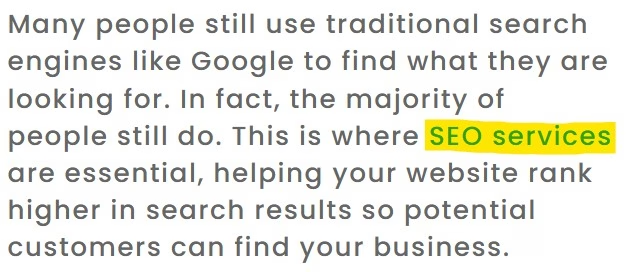
Here’s an example of what the code looks like as well:
<a href=”https://onlinemarketingsurgery.co.uk/seo-agency-services/”>SEO services</a>
Whether you’re an ecommerce website that links between different products you offer, or a service based business linking all of their service pages together, having an internal linking strategy is key for both users and search engines.
Different types of internal links
There’s different internal links you can use across your website which each represent a different purpose. The main types include:
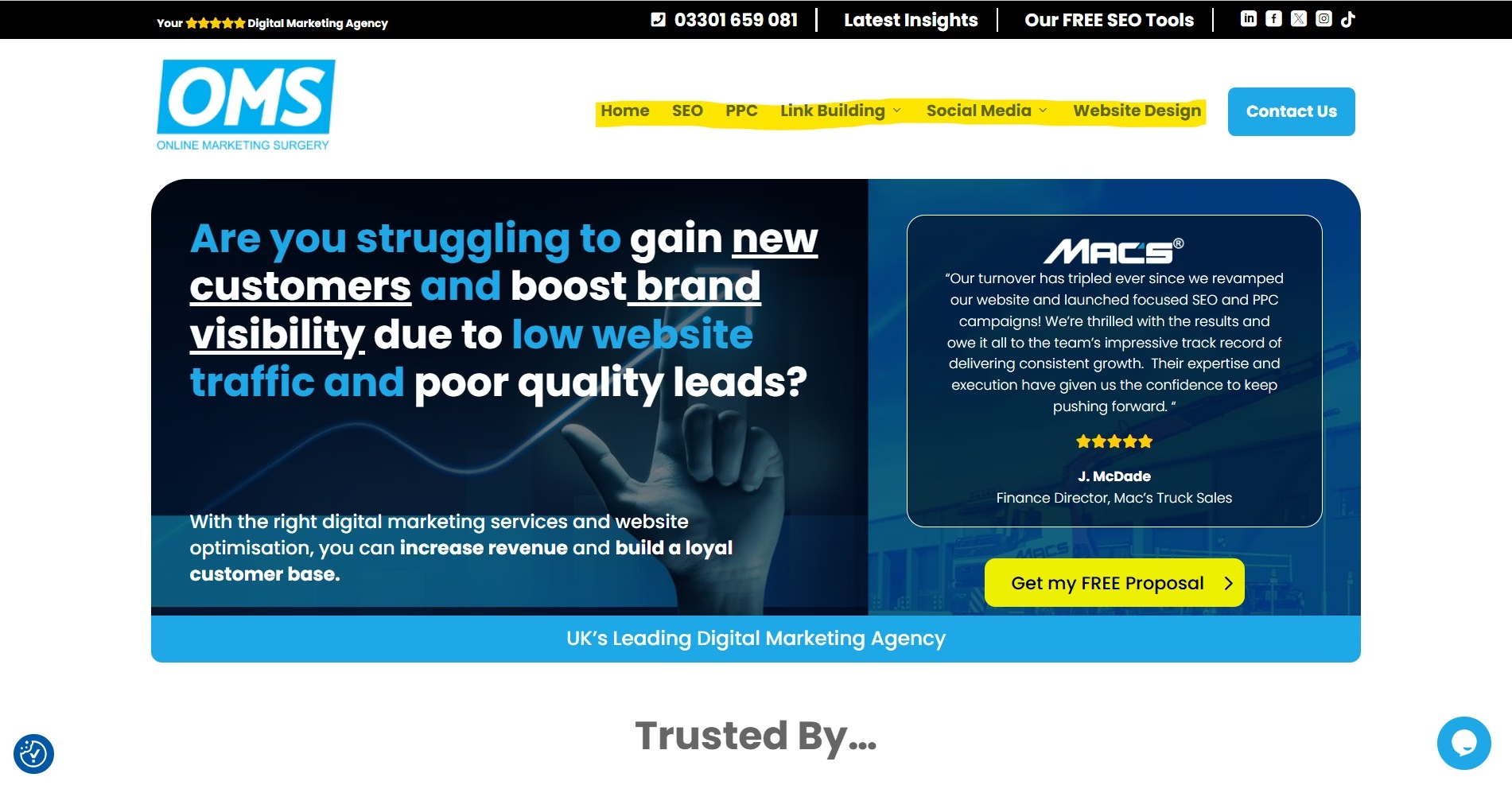
Navigational links
These are the links found in your main menu, header and footer.
They usually appear across every page of your website and help users move quickly between your most important pages, such as your homepage, service pages and contact page.
Navigational links also help search engines understand the overall structure of your site and which pages you consider the most important.
Breadcrumb links
Breadcrumbs are the small navigational trail you often see near the top of a page, for example:
Home > Services > Home Extensions > Loft Conversions
They show users exactly where they are within your website and give them an easy way to move back up to broader pages. Breadcrumbs also help search engines understand the hierarchy and relationship between your pages.
Contextual links
These are links placed within the main body of your content, usually within blog posts, service pages or product descriptions.
For example, a construction company writing a blog about home extensions might add a contextual link to their extensions service page, sending readers who want to find out more straight to the right place.
Contextual links are arguably the most valuable type for SEO because they connect closely related content and use descriptive anchor text to explain exactly what the linked page is about. They also feel natural to the reader, guiding them towards genuinely useful information rather than simply moving them around your site.
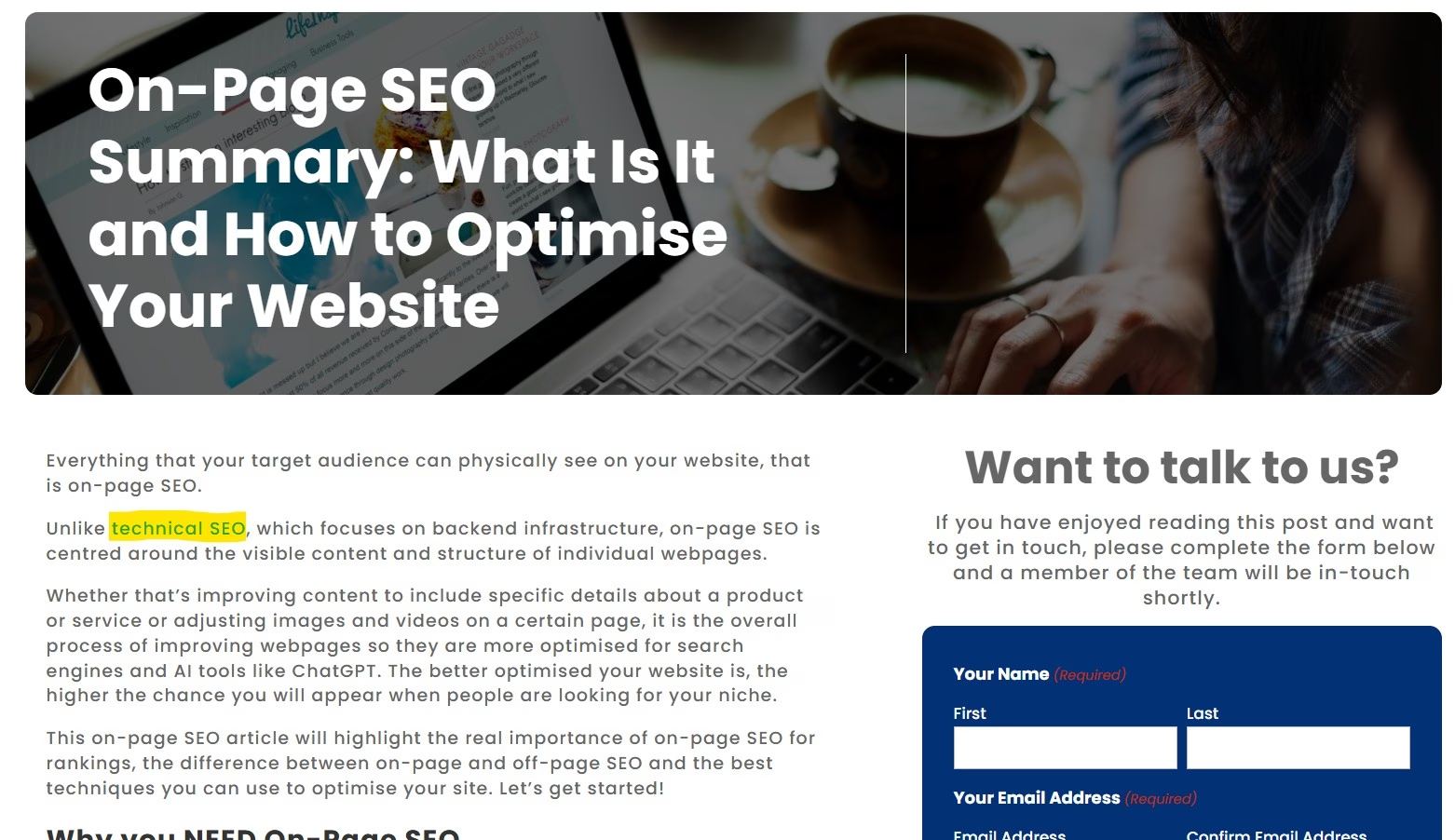
Related content links
These appear at the end of blog posts or product pages, often labelled “Related articles” or “You may also like”.
They encourage users to keep exploring your content, which can increase the number of pages they visit and the time they spend on your site. For SEO, they’re a simple way to connect related pieces of content and strengthen a topic across your website.
Footer links
Footer links sit at the very bottom of your website and typically point towards key pages such as your services, privacy policy, terms and conditions or contact details.
While they don’t carry the same weight as contextual links, they help reinforce your site structure and make important pages easy to find from anywhere on your website.
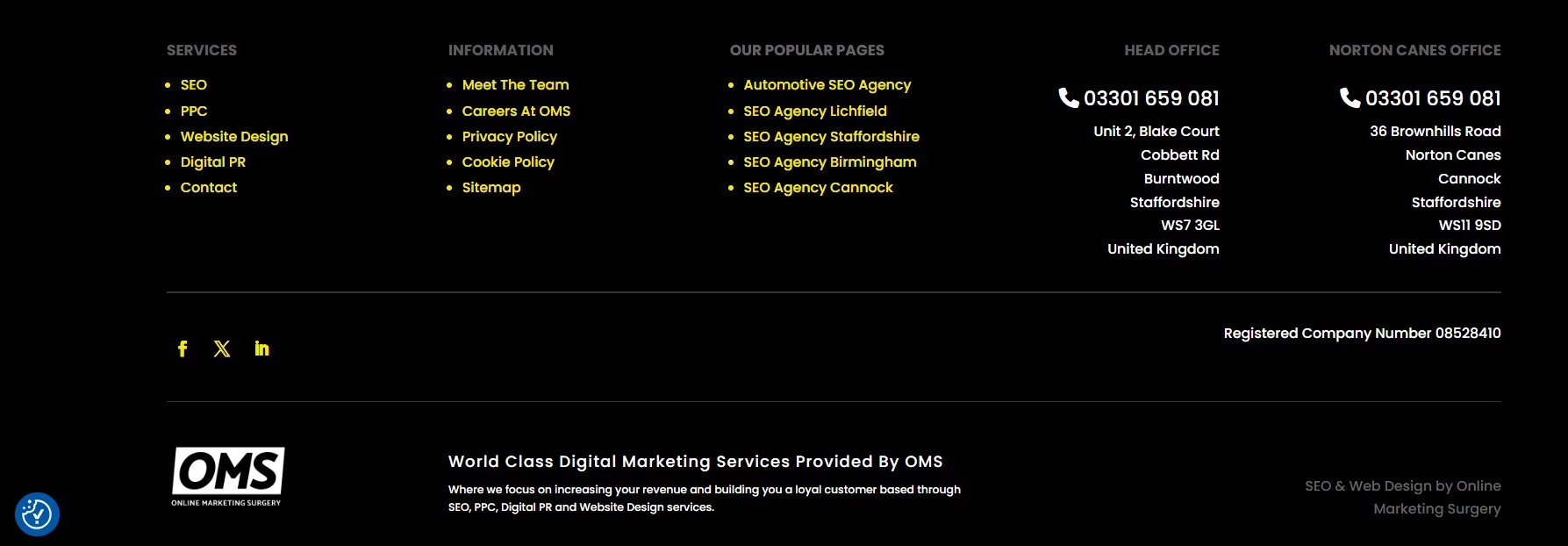
Image links
An internal link doesn’t always have to be text.
Images, buttons and banners can all be linked to other pages on your site. When you do this, it’s worth adding descriptive alt text to the image, as this helps search engines understand where the link is pointing, in the same way anchor text does for a text link.
Each of these link types plays aF slightly different role, but used together they create a clear, connected website that’s easy for both users and search engines to navigate.
Why is internal linking a key factor for SEO?
Internal linking might seem like a small detail, but it has a genuine impact on how your website performs in search. Here’s why it matters so much.
Helps Google discover and crawl your pages
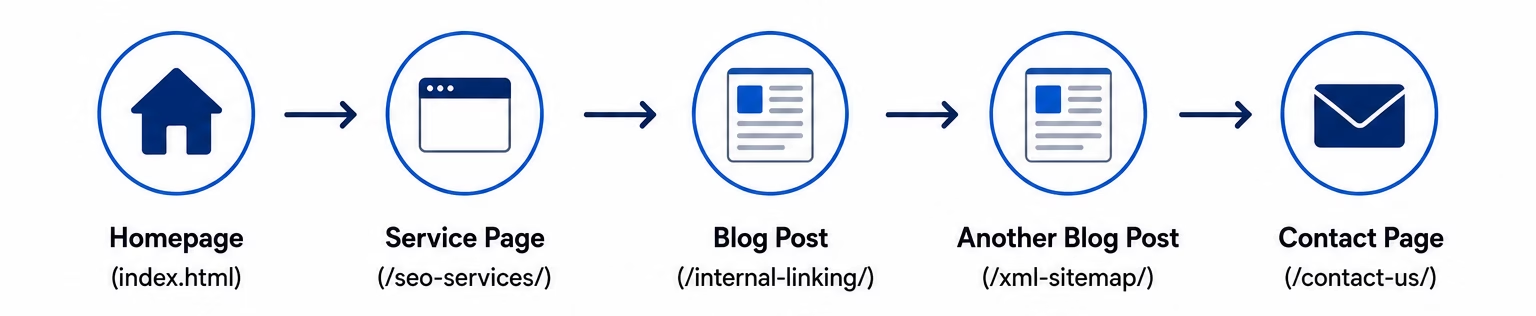
Search engines find new pages by following links.
If a page on your website isn’t linked to from anywhere else, Google may struggle to find it, or may not crawl it at all. By linking your pages together, alongside submitting an XML sitemap, you make it far easier for search engines to discover, crawl and index your content.
Passes authority between pages
When one page on your website earns authority, for example through backlinks, internal links allow you to pass some of that value on to other relevant pages.
This means you can use your stronger pages to give a helpful boost to newer or less established pages that you’d like to rank.
Builds topical authority
Linking related pieces of content together shows search engines that you cover a subject in depth.
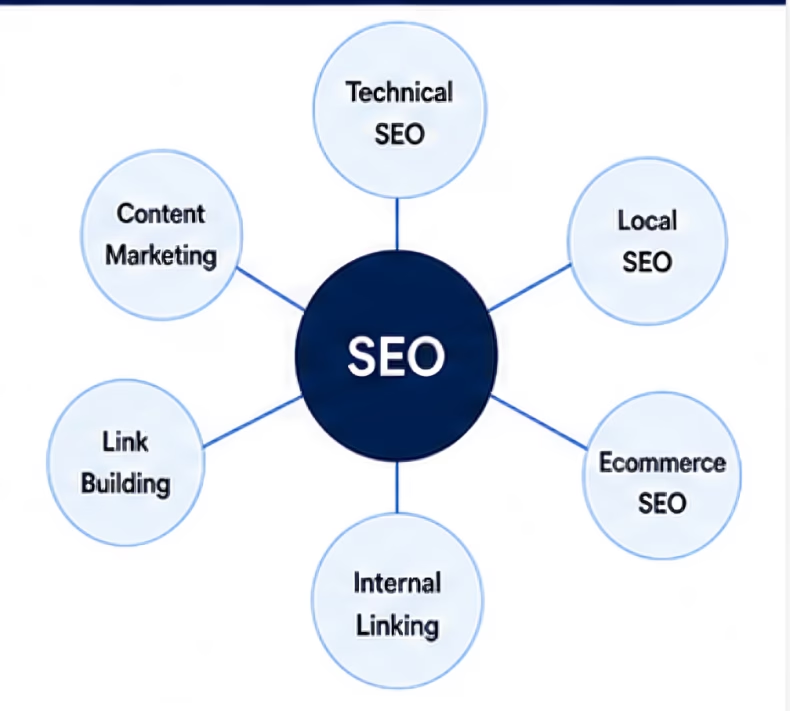
If you have a blog on SEO, and it links out to supporting content on technical SEO, local SEO, XML sitemaps and internal linking, you begin to build a connected web of content around a single topic. This helps demonstrate expertise and can strengthen your visibility across the whole subject area.
Establishes your site structure
Internal links help define the hierarchy of your website, signalling which pages are most important and how everything fits together.
A clear, logical structure makes it easier for search engines to understand your site, and easier for users to find what they’re looking for.
Improves the user experience
Good internal linking guides visitors towards content that genuinely helps them.
This can keep people on your website for longer, encourage them to view more pages and ultimately move them closer to enquiring or making a purchase. A positive user experience is something both users and search engines value.
Tips for creating an internal linking strategy
Now that you understand why internal linking matters, here are some practical ways to build an effective strategy for your website.
Use descriptive anchor text
Anchor text is the clickable text of a link, and it tells both users and search engines what the linked page is about.
Rather than using vague phrases such as “click here” or “read more”, use descriptive anchor text that clearly reflects the destination, such as “local SEO services” or “our guide to XML sitemaps”.
Link to relevant, related pages
Internal links work best when they genuinely help the reader.
Only link to pages that are relevant to the content someone is reading. Linking a blog about internal linking to a completely unrelated product page won’t help users or search engines, and can feel forced.
Prioritise your most important pages
Think about which pages you most want to rank and drive enquiries, such as your key service or product pages.
Where it’s relevant and natural, link to these pages more often from across your website. The more internal links a page receives, the more important it appears to search engines.
Build topic clusters
A topic cluster is a group of related pages that all link back to a central, comprehensive page, often called a pillar page.
For example, a manufacturing business could create a main page on CNC machining, then link out to supporting blogs such as how to choose the right materials, a guide to tolerances and tips for reducing lead times, with each of those linking back to the main page. This structure helps demonstrate depth of expertise and strengthens your authority around a subject.
Add internal links to new and existing content
Internal linking shouldn’t be a one off task.
Every time you publish a new page or blog, add links from it to relevant existing content, and go back to older pages to add links pointing to your new content. This keeps your website connected as it grows.
Fix broken links and orphan pages
A broken internal link leads to a page that no longer exists, which frustrates users and wastes crawl budget.
An orphan page is a page with no internal links pointing to it at all, making it hard for search engines to find. It’s worth regularly auditing your website to fix broken links and make sure every important page is linked to from somewhere.
Don’t overdo it
Internal links are valuable, but stuffing a page with too many can overwhelm readers and dilute the value of each link.
Focus on adding links where they genuinely help the reader and make sense within the content, rather than adding as many as possible.
Internal linking can be a game changer for SEO
Internal linking is one of the simplest yet most overlooked ways to improve your SEO.
By connecting relevant pages together, you make it easier for search engines to crawl and understand your website, pass authority between your pages and build topical authority around the subjects that matter most to your business. Just as importantly, you create a smoother experience for your visitors, guiding them towards the content and services they’re actually looking for.
The key is to be intentional. Use descriptive anchor text, link to genuinely relevant pages, prioritise your most important content and keep your links up to date as your website grows.
Get your internal linking strategy right and you’ll build a stronger, more connected website that performs better in search and generate more enquiries and sales for both your business.
If you’d rather leave it to the experts, our SEO services can help you get it right. Get in touch with our team to find out more.